Two Ways to Calculate Your Cabinet Door Cut List

1. Create Precision Cut Lists from Finished Door Sizes
Enter multiple finished door sizes, and DoorCRUNCHER calculates a precise cut list for each door size. Import finished door and panel sizes from CabinetCRUNCHER or enter your own dimensions to quickly create production cut lists for an entire project.
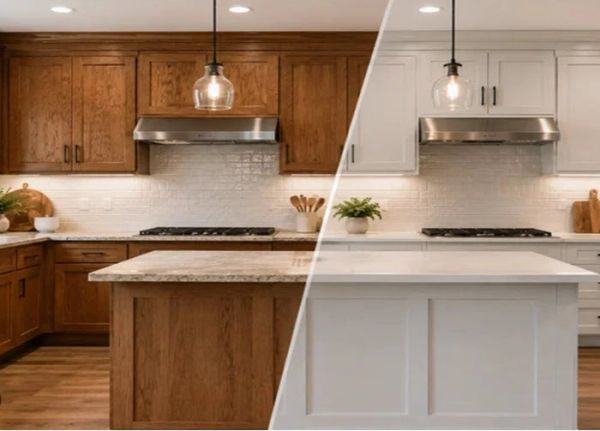
2. Calculate Cabinet Doors from Cabinet Opening Size
Enter cabinet opening widths and heights, and DoorCRUNCHER calculates the finished door sizes based on your overlay, reveal, or inset settings. Create single- or double-door configurations within each opening, then generate precise cut lists for each door. This makes DoorCRUNCHER especially useful for cabinet refacing as well as new construction.
Cabinet Door Cut List Software for Custom Shops & DIYers
Built for the Way You Build
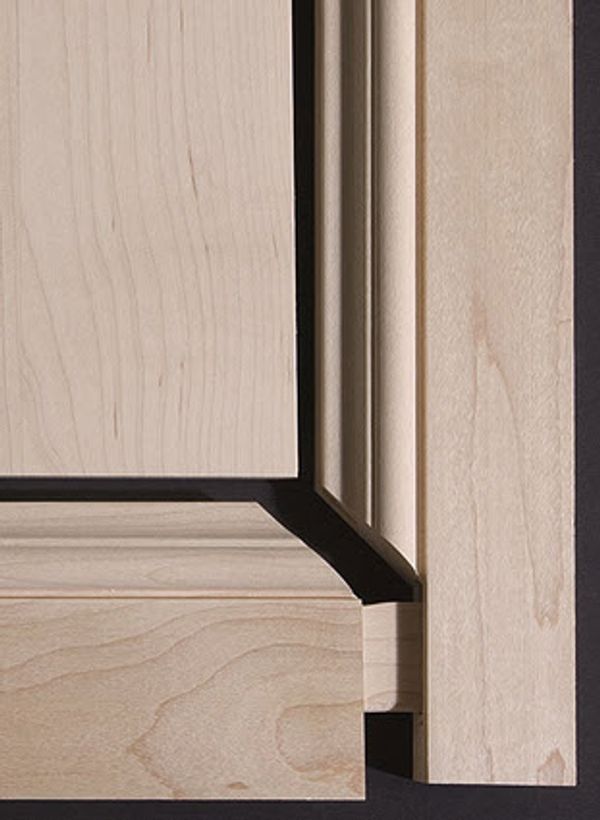
DoorCRUNCHER combines precision door calculations with the flexibility to match your construction methods, shop preferences, and project requirements.
- Precision Cut Lists — Accurately calculate stiles, rails, panels, and other door components.
- Flexible Construction — Build cope-and-stick, mitered, multi-panel, solid-panel, and other custom door configurations.
- Custom Shop Settings — Set your own dimensions, reveals, overlays, clearances, grooves, and other construction details.
- Single Doors or Entire Projects — Calculate individual doors or process multiple door sizes and configurations at once.
- Fractional or Metric — Work in the measurement format that fits your shop.
- Works with CabinetCRUNCHER — Import finished door and panel sizes from CabinetCRUNCHER to quickly create precise production cut lists.

Streamline Production with DoorCRUNCHER
Process Multiple Doors and Drawer Fronts at Once
DoorCRUNCHER is designed to handle entire projects—not just individual doors. Process large numbers of doors, drawer fronts, and panels together to reduce repetitive data entry and speed up production planning.
- Batch Processing — Enter and process multiple doors and drawer fronts simultaneously, reducing repetitive data entry and speeding production planning.
- CabinetCRUNCHER Integration — Copy finished door and panel sizes from CabinetCRUNCHER into DoorCRUNCHER to quickly create accurate cut lists without re-entering dimensions.
- Efficient Material Planning — Use project-level material quantities, lineal footage, and rip requirements to plan your material preparation and ordering.
- Production Flexibility — Sort, filter, and organize your project data in Excel to create the production lists that work best for your shop.

Precision Joinery & Custom Construction Settings
DoorCRUNCHER gives you control over the construction details that affect your finished doors, from joinery dimensions to panel clearances and measurement formats.
- Custom Joinery Settings — Set tenon lengths, dado depths, grooves, and other construction dimensions to match your building methods.
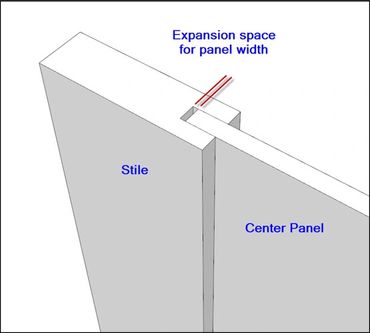
- Panel Expansion Gaps — Adjust clearance around center panels to allow for seasonal wood movement.
- Fractional or Metric Accuracy — Generate cut lists in fractional inches, decimal measurements, or millimeters.
Build a Wide Variety of Cabinet Door Styles
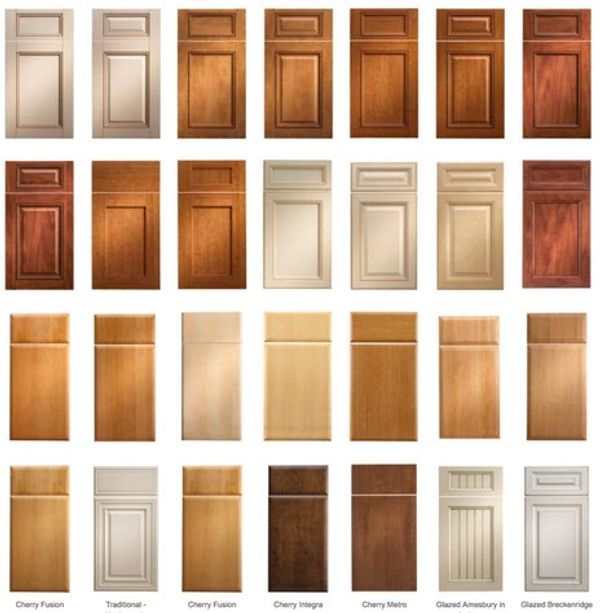
Build a Wide Variety of Cabinet Door Styles
DoorCRUNCHER supports a wide range of cabinet door and drawer-front configurations. Choose from standard construction methods and customize the rail, stile, panel, and other dimensions to create the door styles you build.
Door & Drawer-Front Configurations:
- Cope and Stick
- Mitered
- 2-Panel — Horizontal Center Rail
- 2-Panel — Vertical Center Stile/Mullion
- 3-Panel
- 4-Panel
- Solid Panel
These configurations can be customized to create many popular cabinet door styles, including:
- Raised Panel
- Shaker Style
- Cathedral Style
- Curved Top
- Curved Top & Bottom
Precision Squaring After Glue-Up
For professional results, the optional Allow for Trim after Glue-Up feature adds a trim allowance to the door components. After assembly and glue-up, simply trim the specified amount from each edge to achieve the exact finished door size with clean, square edges.
For example, if the finished door size is 24" × 36" and you specify a 1/8" trim allowance per edge, DoorCRUNCHER calculates a rough assembly size of 24-1/4" × 36-1/4". After trimming 1/8" from each edge, the finished door is precisely 24" × 36".

Project Materials, Production & Cost Estimates
DoorCRUNCHER automatically organizes your door and panel information on the Project Summary sheet, giving you the production and material information you need to plan your project.
- Project Information — Record the project name and project number for easy reference.
- Panel Quantities — Automatically summarize the quantities of doors, false doors, drawer fronts, false drawer fronts, and applied end panels required for the project.
- Production Rip Lengths — Calculate the total lineal length of each stile and rail width to help determine how many strips of material you need to prepare for production.
- List of Materials — Summarize the types and quantities of materials required for the entire project.
- Project Costs — Calculate material costs and optionally add production labor, finishing, delivery, installation, and other project expenses using your own descriptions and costs.
- Notes — Add project-specific notes or other information as needed.

Complete Project Cut List for Efficient Production
DoorCRUNCHER automatically combines every component from your project—including doors, drawer fronts, and applied end panels—into one comprehensive master cut list. Data from your Door Groups and Cabinet Opening worksheets is organized into a single list, giving you a complete view of the parts required for production.
Organize Your Cut List for Efficient Production
Because the master cut list is provided in Excel, you can use filters and sorting to organize your work and reduce setup time.
- Batch Processing — Filter for stiles and rails, then sort by width to group similar parts together and reduce table saw setup.
- Sequential Cutting — Sort components by length to organize your cross-cutting and help maximize material yield.
- Material Grouping — Filter by material type to separate solid wood, MDF, and other materials for more efficient production.
- Custom Shop Checklists — Filter the master list to create task-specific lists for cutting, assembly, sanding, finishing, or other production steps.
Software to Build Your Doors Correctly - the 1st Time!
Calculate Materials & Project Costs

Accurate Material Quantities and Project Costs
DoorCRUNCHER summarizes the materials required for your doors, drawer fronts, and applied panels and calculates material, labor, and other project costs. Enter your own pricing and waste factors to create accurate project estimates and quotes.
- Material Requirements — Calculate the quantities of sheet goods, lumber, and other materials needed for your doors, drawer fronts, and applied panels.
- Material Costs — Enter your own material prices and waste factors to calculate accurate material costs.
- Labor & Other Costs — Include labor, finishing, hardware, delivery, installation, and other project expenses.
- Accurate Project Estimates — Combine material and project costs to create consistent estimates and quotes for your cabinetmaking projects.